Notifier Sender
The Notifier Sender component is designed to work with the Notifications System and Notifier Receiver component to send out email notifications on defined triggered rules. These components have two distinct roles, which allows us to build a reliable notification system. The Notifier Sender handles the actual delivery and ensures any connection or sending problems won't impact the Notifier Receiver. It is configured by default to send notification messages via email, but can be easily adapted to deliver notifications via other mechanisms (ex. Slack, Microsoft Teams, etc.).
Running the Component
The Notifier Sender components require IguanaX v10.1.111 or later.
STEP 1: Import the Notifier Sender component
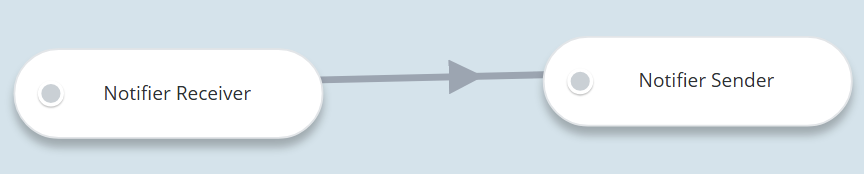
Using +COMPONENT, import two components:
-
Notifier Receiver
-
Notifier Sender
You will need to Edit Connections to link these two components together:
STEP 2: Set up the component configurations
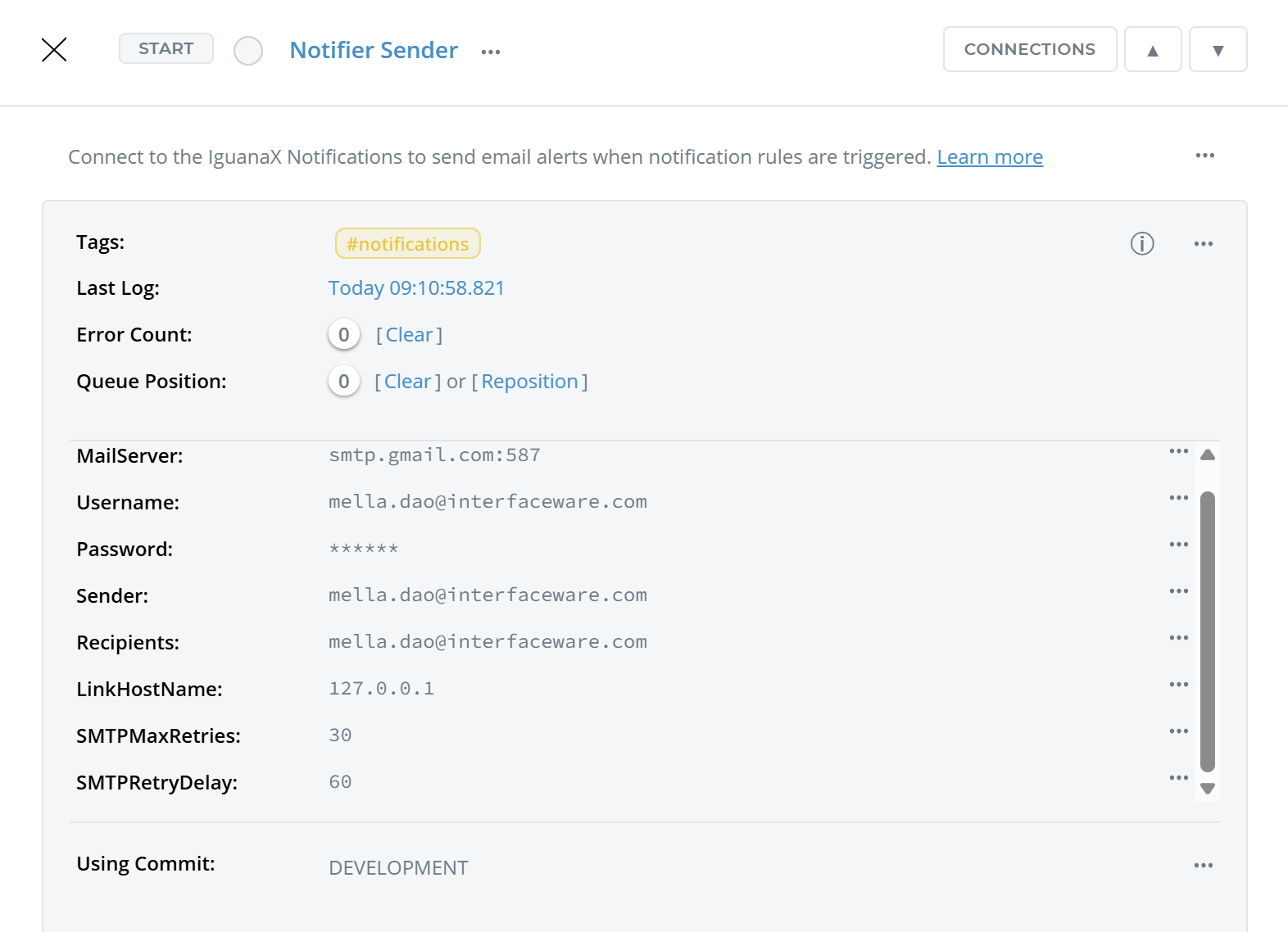
Component Configurations:
Enter the following custom fields into the component card. All fields are required.
Field | Description | Default Value |
|---|---|---|
MailServer | The SMTP Server | |
Username | The SMTP server username/email | |
Password | The SMTP server password. For Gmail, with two-factor authentication enabled, the password is required to be an App Password. | |
Sender | The email address for the sender | |
Recipients | The email addresses of one or more recipients. If you want multiple recipients, they must be provided as a comma-separated string. | |
LinkHostName | Your IguanaX instance hostname | localhost (127.0.0.1) |
SMTPMaxRetries | The maximum number of retry attempts for email sending | 30 |
SMTPRetryDelay | The number of seconds the component will wait between retries. | 60 |
STEP 3: Start the component and view the notifications in your email or preferred destination
Once the component has been started, it will receive data from the connected Notifier Receiver component. It will process and send out notifications by email to the defined recipients.
How it works:
A log is received by the upstream component and processed into an informative alert and sent out via email
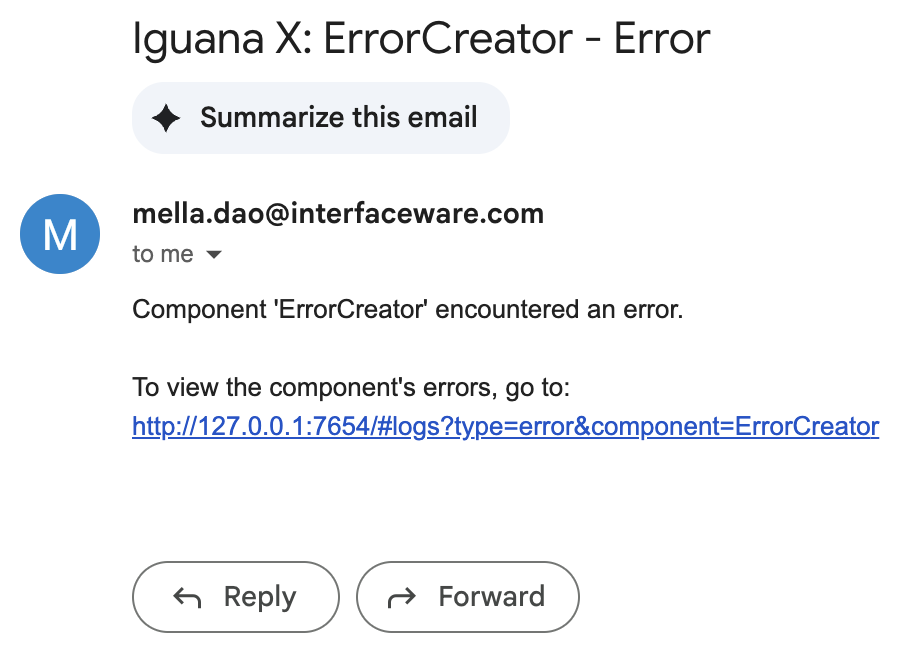
NOTIprocess.lua is used to process each type of condition triggered, forming an email notification message to be sent, containing:
-
The Component name.
-
The condition that was triggered (ie. error, inactivity, queue threshold, or log contains).
-
A link to the component logs to view more details.
For example, your email may contain information such as:
This component can be adapted to alert via other mechanisms besides email
This component is designed to be able to be adapted to send notifications via any mechanism as the notification processing logic is all contained in NOTIprocess.lua.