Notifier Receiver
The Notifier Receiver component is designed to work with the Notifications System and Notifier Sender component to send out email notifications on defined triggered rules. These components have two distinct roles, which allows us to build a reliable notification system. The Notifier Receiver's role is to safely capture notifications and push them to the queue of the Notifier Sender.
Running the Component
The Notifier Receiver requires IguanaX v10.1.111 or later.
STEP 1: Import the component
Using +COMPONENT, import two components:
-
Notifier Receiver
-
Notifier Sender or any other notification sending component
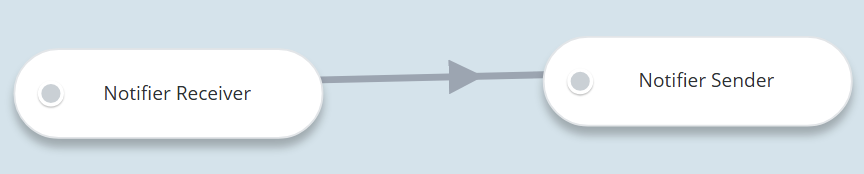
You will need to Edit Connections to link these two components together:
STEP 2: Start the component
While the component is running, the notification system sends log messages to the Notifier Receiver whenever a notification rule is triggered. The component splits the data into individual log messages and pushes them to the downstream component's queue.
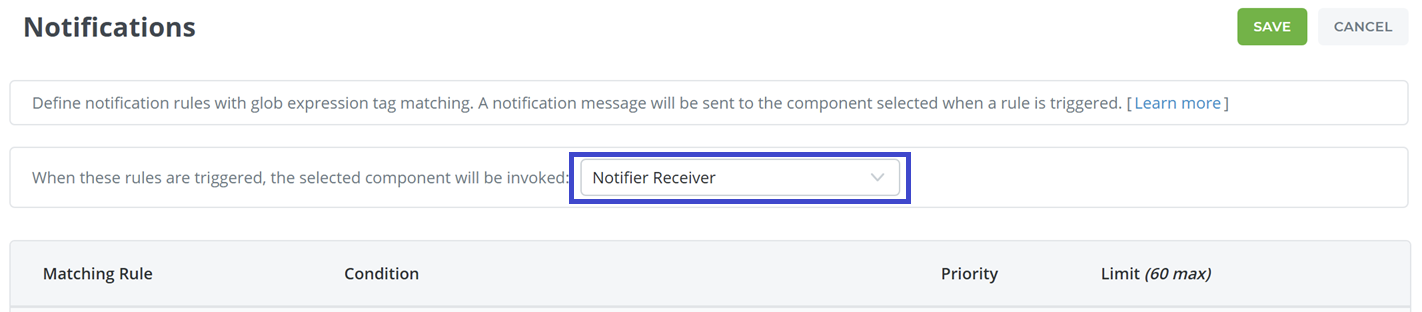
STEP 3: Go to Settings > Notifications and configure the notifications system to use the component
Click Edit, then choose the Notifier Receiver component to receive notifications.
STEP 4: Use the testing links to test your notifications
See Using Notifications if you need to learn how to create and test your notification rules.